- Version
- Download 2809
- File Size 1.28 MB
- File Count 1
- Create Date 10/06/2018
- Last Updated 11/02/2024
F0000831
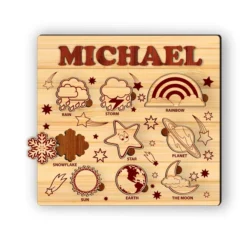
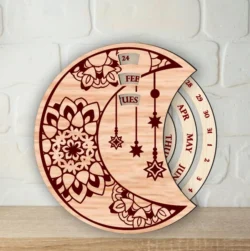
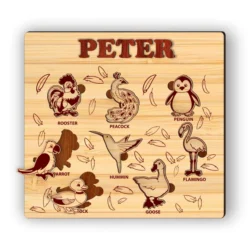
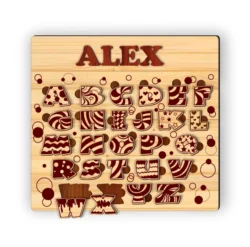
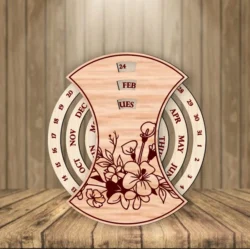
These are vector design files created specifically for industrial cutting and engraving machines, including CNC, Laser, and Plasma. The files you download are available in standard industry formats such as PDF, CDR, and DXF.
Recommended Software for Editing and Operation
To help you get the most out of these files, here is a quick guide to the most commonly used software for editing your designs and running your machinery:
Design & Editing Software (CAD)
- CorelDRAW: This is the native software for .cdr files. It is incredibly popular in the laser engraving and sign-making industries due to its powerful, user-friendly vector editing tools.
- AutoCAD: The industry standard for .dxf files. It is highly recommended for precise, dimensional drafting and is widely used by professionals operating CNC routers and plasma cutters.
- Adobe Illustrator & Inkscape: Both are excellent tools for opening, modifying, and exporting .pdf and other vector formats. If you are looking for a powerful, budget-friendly option, Inkscape is a fantastic free alternative.
Toolpath Generation & Machine Control (CAM)
- For Laser Machines: LightBurn is highly recommended as an all-in-one layout, editing, and control software that supports a wide range of laser controllers. RDWorks is also a standard choice for machines equipped with Ruida controllers.
- For CNC Routers: Programs like Vectric VCarve and Aspire are industry favorites for generating toolpaths (G-code) from 2D and 3D vectors. To physically control the machine, software like Mach3, Mach4, or LinuxCNC are typically used.
- For Plasma Cutters: SheetCAM is widely relied upon to easily convert your 2D DXF files into clean G-code, optimizing the cutting path for metal. It is frequently paired with Mach3 or dedicated CNC plasma controllers.
Important Notes Before Use
- File Extraction: To ensure faster download speeds, the design files are compressed into .zip, .rar, or .7z archives. Please use extraction software like WinRAR or 7-Zip to open and extract the files to your computer.
- Dimensional Accuracy: The process of exporting files across different formats, using various software versions, or converting measurement units can occasionally alter the original dimensions. Please double-check all scales and measurements carefully in your CAD software before running the file to avoid any material waste or production errors.
- Pre-Production Check: Before loading the design into your machine's software, review the file and remove any stray vectors, overlapping lines, or unwanted marks. Be sure to adjust the design's dimensions to match your specific material thickness and your machine's working area.
Support Our Site!
If you find our website and these files helpful, please consider sharing this site with your friends, colleagues, and fellow makers. Your support gives us the motivation to continue developing, adding new designs, and improving the platform for everyone!
If you find our website and these files helpful, please consider sharing this site with your friends, colleagues, and fellow makers. Your support gives us the motivation to continue developing, adding new designs, and improving the platform for everyone!